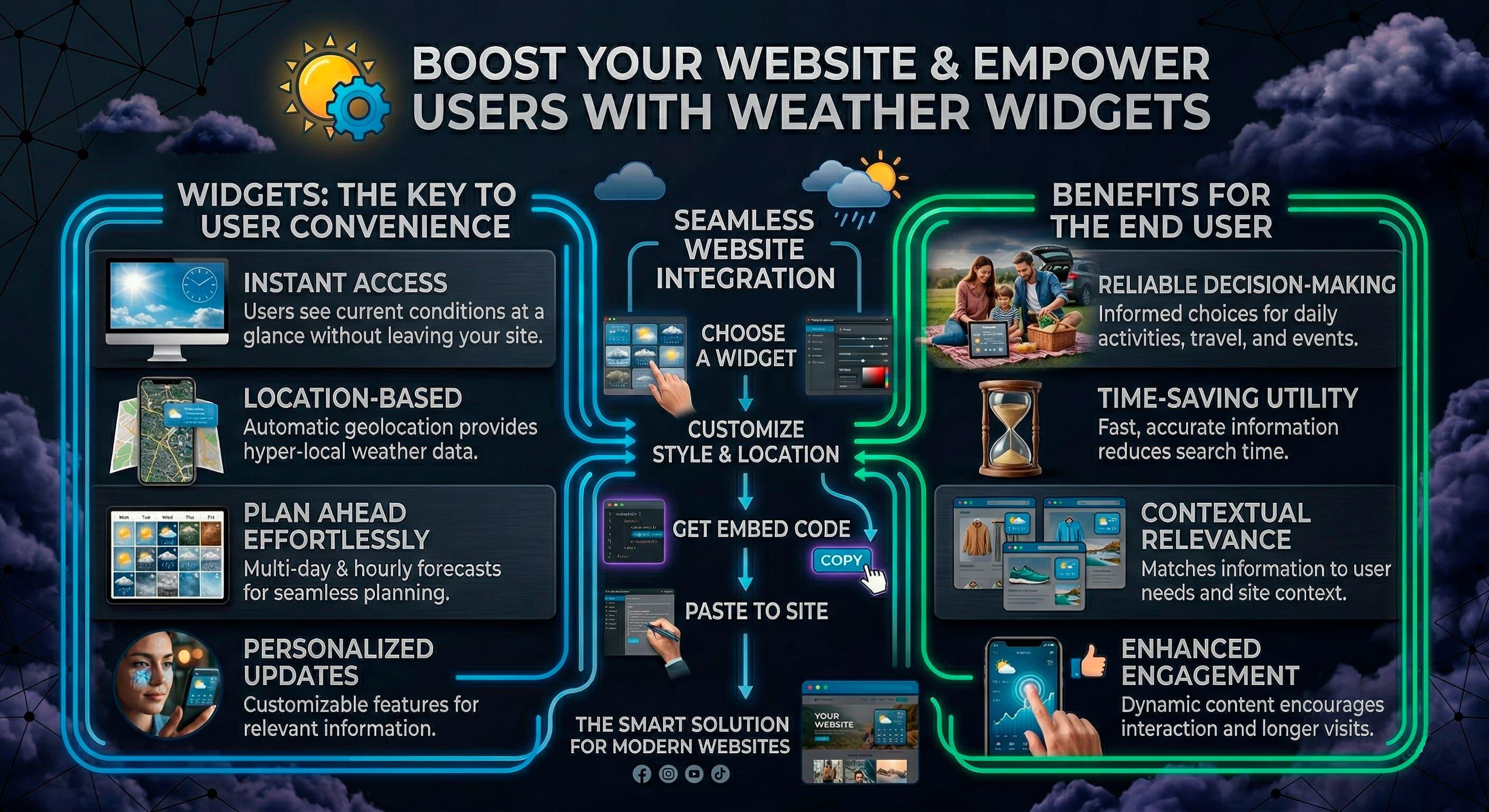
A weather widget is a compact interface element that displays current conditions, hourly updates, or multi-day forecasts inside a website, blog, portal, or application screen. It can be as simple as an embedded forecast card for one city or as complex as a JavaScript component that pulls data from an API, detects the user’s location, adapts units by country, and refreshes on a schedule.
The topic looks simple on the surface, but weather widgets sit at the intersection of meteorology, front-end engineering, API design, caching strategy, geolocation, and user experience. A forecast shown on a travel page or a local news site is only as reliable as the data source behind it, the coordinates used for the lookup, the update logic, and the way the interface handles time zones, units, and edge cases. For developers, bloggers, publishers, and travel platforms, that makes weather widgets less about decoration and more about data delivery and context.
What Is a Weather Widget?
A weather widget is a small embedded software component that shows weather data inside another digital property. It usually presents forecast information without requiring the user to leave the page.
In practical terms, a weather widget can be an iframe, a script-based embed, a WordPress plugin, or a custom UI component built with HTML, CSS, and JavaScript. Some widgets are managed entirely by the provider, while others are assembled by the site owner from raw API data. The difference matters because it affects styling control, performance, data freshness, accessibility, and the ability to localize by city, country, or language. Forecast widgets are often used on blogs, tourism pages, municipal sites, hotel websites, media portals, and destination guides where weather has direct relevance to user decisions.
How Do Weather Widgets Work?
Weather widgets work by taking a location input, requesting forecast data from a provider, and rendering that information in a compact interface. The request can happen on the client side in the browser or on the server side before the page is delivered.
A basic flow starts with a city name, ZIP code, or latitude and longitude coordinates. The widget or supporting script sends that location to a weather API such as OpenWeather or Weatherbit, receives JSON data, and maps values like temperature, wind speed, humidity, cloud cover, and condition codes into visible UI elements. In more advanced implementations, the widget also converts units, formats times in the correct time zone, caches responses to reduce API calls, and refreshes at defined intervals. The rendered output may include icons, text labels, sunrise and sunset times, precipitation probability, and short forecast summaries.
What Data Sources Do Weather Widgets Use?
Weather widgets use a combination of direct observations, numerical forecast models, and API providers that package this data into developer-friendly endpoints. The visible widget is the last step in a longer chain that starts with meteorological measurement and forecasting systems.
Common providers include OpenWeather, Weatherbit, Meteostat, NOAA, and the Met Office. Some of these platforms aggregate multiple sources, while meteorological agencies such as NOAA or the Met Office also produce official datasets and model outputs for their regions. The raw inputs behind those services can include weather stations, satellites, radar networks, ocean buoys, balloons, and numerical weather prediction models. A widget may display observed current conditions, forecast data for the next few hours or days, or a mixture of both, depending on the endpoint and the product design.
What Information Can a Widget Display?
A weather widget can display far more than temperature and an icon. The actual scope depends on the data provider, the interface size, and the intent of the page.
Typical fields include current temperature, “feels like” temperature, weather condition text, wind speed and direction, humidity, atmospheric pressure, visibility, and dew point. Many forecast widgets add hourly timelines, daily highs and lows, precipitation chance, rainfall totals, sunrise and sunset times, UV index, air quality indicators, or severe weather alerts. On a small blog sidebar, only a few values may fit cleanly, while a local portal or travel platform may need a wider widget with multi-day local weather forecasts. A mature design shows only the data that helps the user make sense of the page they are already viewing.
The Data Pipeline Behind Weather Widgets
Weather widgets are the presentation layer of a larger pipeline that starts with observation networks and ends with formatted forecast output in a browser. Understanding that pipeline explains why two widgets can show different values for the same location.
Each stage introduces choices and trade-offs: which provider supplies the data, which model is used, how a location is geocoded, how frequently the response is refreshed, and whether a CDN or browser cache stores earlier data. A widget that appears simple on a page may depend on geospatial lookups, forecast model blending, icon mapping, and fallback logic during provider outages. These details shape both perceived accuracy and technical stability.
Weather APIs and Forecast Feeds
Weather APIs expose forecast and observation data through endpoints that applications can query by city name, coordinates, postal code, or place identifier. They are the main bridge between meteorological data services and widgets embedded in websites.
Most weather APIs use REST and JSON, with separate endpoints for current weather, hourly forecasts, daily forecasts, air pollution, geocoding, and historical data. OpenWeather and Weatherbit are widely used for current and forecast endpoints, while Meteostat is often referenced for historical weather and climate-style datasets. NOAA provides public weather data in the United States through agency-operated services, and the Met Office provides regional data products and forecast services in the United Kingdom. Licensing, request limits, rate throttling, language support, time zone behavior, and update frequency vary by provider, which is why API selection is never only a front-end decision.
Meteorological Models and Observation Networks
Forecast data comes from numerical weather prediction models supported by observation networks and data assimilation systems. A widget does not create weather knowledge on its own; it visualizes outputs produced elsewhere.
Observation inputs can include surface weather stations, airport sensors, marine buoys, radar, satellite imagery, radiosondes, and other meteorological networks. Forecast models then assimilate that data to estimate current atmospheric conditions and project future states, often with ensemble methods that account for uncertainty. National agencies such as NOAA and the Met Office operate major forecasting systems, and commercial APIs may blend agency sources with their own post-processing or bias correction. That is why one widget may show slightly different rain timing or wind values than another even when both refer to the same city.
How Location Detection Works
Location detection in weather widgets usually relies on one of three inputs: a fixed location chosen by the site owner, browser geolocation granted by the user, or IP-based estimation. The quality of the forecast depends heavily on which method is used.
Manual location assignment is the most predictable because the widget receives explicit coordinates for a known city, resort, airport, or region. Browser geolocation can be more precise, especially on mobile devices, but it requires consent and may still return a broader area rather than an exact point. IP geolocation is convenient for auto-location, yet it often resolves to a network hub, office gateway, or neighboring city, which explains why a widget can show the wrong location. In countries with dense microclimates, mountain terrain, or coastal variation, even a small coordinate error can produce noticeably different local weather forecasts.
How Widget Architecture Affects Speed and Accuracy
Widget architecture affects how fast the interface loads, how often it updates, and how much control the site owner has over data handling. Accuracy is not only about the weather model; it is also about when and how data is fetched.
An iframe widget isolates the provider’s code from the host site, which reduces integration effort but limits styling and page-level control. A JavaScript widget that fetches data directly can be tightly integrated into the page and styled with local CSS, yet it must handle API errors, loading states, and security concerns such as exposed keys. Server-rendered implementations can fetch weather data before the HTML is sent, which improves consistency and can reduce layout shifts, especially when paired with CDN caching. If caching rules are too aggressive, though, the widget may serve stale forecast data and appear late to update during rapidly changing weather.
Main Types of Weather Widgets
Weather widgets come in several implementation styles, each with different trade-offs in control, complexity, and maintenance. Choosing the right type depends on whether the priority is speed of deployment, design flexibility, or deep API integration.
A blogger using WordPress has different needs from a travel platform with a React front end and multiple destination pages. Some teams want a drop-in forecast box that works with almost no development. Others need a custom component that fits a design system, supports multiple languages, and integrates with location-aware business logic.
HTML and iframe widgets
HTML and iframe weather widgets are the simplest to deploy because the provider hosts most of the logic and presentation. They are commonly used when a site needs forecast information without building its own weather stack.
In this model, the site owner pastes an embed snippet into a page template, sidebar, or content block. The provider handles data fetching, icon rendering, and layout updates inside the embedded frame or managed script. That makes HTML widgets attractive for blogs, small business sites, and local portals that want weather coverage with minimal engineering work. The trade-off is that iframes can be harder to restyle, may contribute less visible text to the host page, and can make accessibility tuning more difficult if the provider’s markup is not transparent.
JavaScript widgets
JavaScript weather widgets offer more control because the host page can fetch data and render it directly into the DOM. They are suited to sites that want custom styling, logic, and deeper integration with surrounding content.
A script-based widget can read a stored location preference, call a weather API, and inject temperature, forecast labels, icons, and timestamps into a design that matches the rest of the site. Developers can control loading states, retries, unit conversion, dark mode, responsive behavior, and event tracking. This approach works well for media sites, travel platforms, and applications that already rely on front-end frameworks or custom JavaScript. The cost is higher implementation complexity, especially when API keys, rate limits, caching, CORS policy, and error handling have to be managed carefully.
WordPress weather plugins
WordPress weather plugins package weather functionality for non-technical publishing workflows. They usually expose widgets, blocks, or shortcodes that editors can place inside posts, pages, or sidebars.
For bloggers and local publishers, plugins reduce friction because the interface for choosing a city, language, unit system, and layout often lives inside the dashboard. Some plugins fetch data through the provider’s API, while others embed an external widget service. A plugin can be a workable middle ground between a pure iframe and a fully custom front-end integration, but plugin quality varies widely. Update frequency, compatibility with themes, cache behavior, and security posture should be reviewed with the same care given to any other WordPress extension.
React and component-based weather components
React-based weather components treat forecast display as part of a larger application architecture rather than a standalone embed. They are common in headless CMS setups, single-page applications, and modern front-end systems.
A React widget can use hooks for data fetching, memoization for render efficiency, and server components or static generation to improve delivery speed. It can also be composed with route-aware logic, user preferences, localization frameworks, and design tokens. This makes it easier to build consistent weather UI across destination pages, airport guides, resort microsites, or local news sections. The same flexibility requires more disciplined engineering around hydration, fallback states, caching, and the handling of secrets, since direct client-side exposure of private API credentials is rarely acceptable.
How to Add a Weather Widget to a Website
Adding a weather widget to a website can be done through a simple embed or through a custom build that calls a weather API directly. The right method depends on how much control is needed over data, design, and performance.
A small site can often get started with a prebuilt widget placed in a sidebar or content block. A larger site with many templates, location pages, or SEO requirements may prefer a custom implementation so the forecast, labels, timestamps, and surrounding copy are tightly aligned. In both cases, the work does not stop at inserting a snippet: unit handling, time zones, location defaults, privacy permissions, and cache invalidation still need attention.
Adding an embedded widget with HTML
An embedded HTML widget is the fastest way to place weather information on a page because most of the logic is delegated to the provider. This method is often enough when the goal is to show a forecast for a fixed city or region.
The typical flow is to choose a location, pick metric or imperial units, set the language, and paste the provider’s iframe or script snippet into the page. Providers package the display, icons, and refresh behavior, which reduces development time and limits the need for custom JavaScript. A reference point for this style of implementation can be seen at WeatherWidget.info, where forecast widgets are delivered as embeddable components rather than as a raw API-only product. For a production page, the embed should still have a descriptive title, a reserved layout area to reduce content shifting, and responsive constraints so it behaves well on mobile screens.
Example of a simple embed
A minimal iframe implementation can look like this:
<iframe src="https://example-provider.com/widget?city=Lisbon&units=metric&lang=en" title="Lisbon weather forecast" loading="lazy" width="320" height="220"></iframe>
This pattern keeps integration light because the widget provider owns the rendering logic and data requests. The host page mainly controls placement and container sizing. The limitation is that styling hooks, structured text, and deeper state control are usually narrower than in a custom JavaScript build.
Building a custom widget with JavaScript and a weather API
A custom JavaScript widget is the right choice when a site needs control over layout, data mapping, refresh logic, and contextual messaging. It turns the weather block into a native part of the site rather than an external object placed inside it.
The usual sequence is to resolve a location into latitude and longitude, call a weather API endpoint, transform the JSON response into a compact data model, and render the result into HTML elements styled with local CSS. This makes it easier to align the widget with page intent, such as showing beach conditions on a travel page or wind and precipitation focus on an outdoor event page. Developers can also store location preferences, switch between countries and cities, and combine forecast data with editorial copy or internal datasets. The main caution is that direct client-side calls can expose API keys, so production-grade builds often move the request through a server-side proxy.
Client-side API example
A simple demonstration using OpenWeather-style current conditions might look like this:
const lat = 40.4168;
const lon = -3.7038;
const apiKey = "DEMO_KEY_ONLY";
const url = `https://api.openweathermap.org/data/2.5/weather?lat=${lat}&lon=${lon}&units=metric&appid=${apiKey}`;
fetch(url).then(response => response.json()).then(data => {
document.getElementById("temp").textContent = Math.round(data.main.temp) + "°C";
document.getElementById("condition").textContent = data.weather[0].description;
});
This is suitable for learning and internal testing. For public deployment, credentials should not sit openly in front-end code, and the response should be normalized so unit labels, time zone handling, and missing fields are managed consistently.
Server-side proxy and caching pattern
A safer production pattern is to fetch data on the server and expose only a controlled endpoint to the browser:
app.get("/api/local-weather", async (req, res) => {
const lat = req.query.lat;
const lon = req.query.lon;
const apiUrl = `https://api.weatherbit.io/v2.0/current?lat=${lat}&lon=${lon}&key=${process.env.WEATHERBIT_KEY}`;
const apiResponse = await fetch(apiUrl);
const data = await apiResponse.json();
res.set("Cache-Control", "public, max-age=300, stale-while-revalidate=600");
res.json(data);
});
This pattern hides the private key, reduces duplicate upstream requests, and creates a single place to handle retries, provider failover, and data transformation. When paired with CDN caching, it can reduce latency across countries while still keeping forecast data fresh enough for regular browsing scenarios.
Accessibility, responsive design, and internationalization
A weather widget should be accessible, readable on small screens, and adaptable to different languages and unit systems. Forecast data is only useful when the interface explains it clearly.
For accessibility, icons should not carry meaning alone; temperature, conditions, and update times should be visible in text. The layout should avoid tiny tap targets, low-contrast color choices, and abrupt motion that can distract users. For internationalization, dates and times should reflect the local time zone of the forecast location rather than the visitor’s device time when those differ, and units should adapt between Celsius and Fahrenheit, kilometers per hour and miles per hour, or millimeters and inches. A city page for Tokyo, London, New York, or Cape Town may serve readers from many countries, so clear labels matter more than decorative UI.
Weather Widgets vs Weather APIs, Apps, and Dashboards
Weather widgets, weather APIs, weather apps, and weather dashboards solve related but different problems. A widget is a display unit; an API is a data service; an app is a standalone user environment; a dashboard is a larger operational interface.
Confusing these categories leads to bad implementation choices. A team may expect a simple widget to provide the flexibility of a raw API, or expect an app-like experience from a small embedded card. The right comparison depends on whether the need is data access, page-level context, rich personal features, or broad situational monitoring across multiple locations.
Weather widget vs weather API
A weather widget is ready-made presentation, while a weather API is raw or semi-structured data that still needs to be turned into interface output. The widget is the visible layer; the API is the supply line behind it.
If a site needs weather information on a page quickly, a widget usually reduces setup work because the provider has already solved layout and formatting. If the site needs custom logic, branded presentation, analytics events, advanced caching, or integration with user profiles, an API is often the more flexible starting point. The trade-off is that API-driven builds require development effort for geocoding, rendering, fallback behavior, and error recovery. This is why many organizations begin with an embeddable forecast widget and move toward API integration only when product requirements become more specific.
Weather widget vs weather app
A weather app is a destination in itself, while a weather widget adds weather context to another destination. The difference is less about data and more about user intent.
Users open a weather app when weather is the primary task, often expecting radar, notifications, saved locations, severe alerts, and deeper interaction. A widget is more useful when weather is secondary but still relevant, such as on a hotel page, outdoor event listing, local news story, or travel guide. Embedded weather reduces context switching because the user does not need to leave the page to get a quick forecast. It also allows the forecast to be framed around the page topic, which a generic app cannot do automatically.
Weather widget vs weather dashboard
A weather dashboard is broader and more analytical than a weather widget. Dashboards usually monitor multiple places, time ranges, or meteorological variables at once.
Logistics teams, agriculture operations, energy companies, newsrooms, and emergency managers often need panels that compare locations, visualize trends, and surface alerts across regions. A widget is much smaller in scope and typically supports one local decision at the point of page consumption. For a travel article about Rome, a compact five-day forecast is often enough; for airport operations or field services, that same box would be far too limited. The two formats can coexist, but they are built for different levels of operational depth.
Use Cases for Different Sites
Weather widgets are most useful when weather directly influences what the visitor does next. The strongest use cases appear on pages where forecast context changes interpretation, timing, or planning.
The same widget design is not equally useful everywhere. A blogger, a media site, and a municipal portal may all publish weather-related content, yet the forecast emphasis, data granularity, and update cadence will differ. Matching the widget to page intent is more effective than adding a generic weather box across the entire site.
Blogs, publishers, and local portals
Blogs and publishers use weather widgets to support local context, seasonal coverage, and region-specific reporting. They are especially common on city blogs, neighborhood portals, and local news pages.
A local publisher covering storms, heat waves, school closures, or weekend events can use a forecast widget to anchor the story in current conditions. Bloggers writing about gardening, hiking, photography, or fishing also benefit when the page topic is weather-sensitive. On these sites, the widget works more effectively when paired with text that explains what the forecast means for the audience rather than leaving the widget to stand alone. Media sites also need to watch update intervals carefully, because stale conditions under a fast-moving weather story can erode trust quickly.
Travel sites, hospitality pages, and event platforms
Travel websites use weather widgets to help visitors evaluate destinations, dates, and packing expectations. The forecast can support booking research, trip planning, and event preparation without forcing a user into a separate app.
A destination guide for Barcelona, Bali, Vancouver, or Reykjavik can use a widget to show short-term weather while the surrounding content explains seasonal climate, average rainfall, and what visitors usually experience month by month. Hotel pages, beach resort sites, ski pages, and outdoor event platforms often need location-specific forecasts because weather affects attendance, transport, and activity choices. These pages should distinguish between current conditions and broader travel expectations, since a five-day forecast is not a substitute for climate guidance. When that difference is made clear, the widget adds utility instead of misleading users about long-range trip conditions.
Education, public service, and municipal websites
Education and public service sites use weather widgets to inform communities in a practical, low-friction way. Municipal and institutional pages often need trusted local weather data more than polished visual effects.
A city portal may display current conditions, warnings, or basic forecast information near transport notices, school guidance, or service updates. Schools, libraries, parks departments, and community centers may also use widgets to support schedule planning for outdoor activities. In these contexts, source transparency matters; official agency data from NOAA, a national meteorological service, or the Met Office may carry more public trust than a generic third-party display. Accessibility is also central here, because these sites often serve broad populations with varied devices and assistive technology needs.
Common Problems with Weather Widgets and How to Fix Them
Most weather widget failures come from location handling, data refresh logic, provider limits, or mismatches between meteorological data and interface assumptions. The visible symptom may be simple, but the underlying cause often sits deeper in the stack.
A widget showing the wrong city, failing to update, or presenting odd times is rarely a mystery once the request flow is traced from input to API response to cache layer to rendered page. Troubleshooting starts by separating data issues from rendering issues. That means checking whether the provider returned the right payload before blaming the front-end component.
Why a widget shows the wrong location
A weather widget usually shows the wrong location because the site relies on inaccurate IP geolocation, ambiguous place names, or stale stored coordinates. The problem is common when auto-location is enabled without a reliable fallback.
If the widget asks for “Springfield” without a country or region, the geocoder may resolve the wrong city. If the site uses IP-based lookup, the result may point to a network exchange or an ISP location rather than the user’s actual position. Browser geolocation can also fail when permission is denied or when a cached device location is old. The fix is to prefer precise latitude and longitude, use a manual location selector for user correction, store explicit location IDs where possible, and show the resolved place name clearly so errors are visible rather than hidden.
Why a widget stops updating
A widget that stops updating is usually affected by cache misconfiguration, expired API credentials, upstream provider issues, or front-end JavaScript errors. The symptom may look like stale weather, but the cause can be anywhere between the browser and the provider.
API rate limits are a frequent culprit when traffic rises and the site exceeds its quota. Another common issue is a cache rule that keeps the same forecast response longer than intended, especially when a CDN, reverse proxy, or plugin cache layer sits between the request and the source. Client-side widgets can also break silently if a script load fails, the JSON structure changes, or a CORS policy blocks the request. Reliable fixes include monitoring endpoint health, logging failed responses, setting sensible cache TTL values, validating provider field changes, and preparing a fallback display when live data is temporarily unavailable.
Why units, time zones, and forecast times become inconsistent
Units and times become inconsistent when the widget, API, and user context apply different assumptions. This usually appears as forecast cards showing unexpected hours, UTC timestamps, or a mismatch between Celsius and Fahrenheit.
Some APIs return times in UTC and require the integrator to apply the forecast location’s time zone before rendering. Daylight saving changes can introduce another layer of confusion if the location crosses into or out of seasonal clock shifts. Unit mismatches happen when a provider default differs from the site’s intended audience or when a cache stores metric output for one request and serves it to an imperial interface later. The remedy is to normalize units and time zones in one controlled place, label them clearly in the UI, and test with locations across different countries rather than only in the developer’s own region.
Performance, privacy, and accessibility issues
Weather widgets can hurt page performance or privacy when they load heavy third-party assets, make too many requests, or trigger geolocation prompts without enough context. Accessibility problems often appear when icons replace text or when layout changes disrupt reading order.
A forecast widget should reserve space in the layout so the rest of the page does not jump as data arrives. Scripts should be deferred or lazy-loaded where practical, and repeated calls for the same location should be reduced through server-side or CDN caching. If browser location is requested, the site should have a clear reason for it and a graceful alternative for users who decline. On the accessibility side, readable labels, text equivalents for condition icons, and stable content updates are more useful than animated weather effects that add noise without adding meaning.
SEO, Content Strategy, and User Experience Considerations
Weather widgets can support user experience and local relevance, but a widget by itself rarely creates meaningful search visibility. Search performance depends more on the surrounding content, page intent, and crawlable context than on the presence of an embedded forecast box.
This distinction matters because many sites expect a weather widget to act as content when it is actually an interface element. Search engines can interpret page structure, headings, and text more reliably than they can interpret the internal content of an iframe. A weather block is most useful when it reinforces a page that already addresses a location, time frame, or weather-related user need.
Do weather widgets help search visibility?
A weather widget can improve on-page usefulness, but it does not automatically create indexable value. Search engines usually need textual context and clear topical relevance beyond the widget itself.
If a page about a city festival includes a weather widget, the widget may help visitors decide what to wear or whether to attend, which can improve engagement signals and user satisfaction. Yet that same widget is unlikely to rank the page for weather-related searches unless the page also contains informative, unique text about the event, the location, and the weather context. Iframe-based widgets are especially limited because much of their content lives outside the host page’s own HTML. For SEO, the widget should complement content rather than attempt to replace it.
How weather content supports local relevance
Weather content supports local relevance when it is tied to a specific place, season, or decision-making task. Generic weather snippets are weaker than location-rich pages that explain what the forecast means for the visitor.
A travel page about Edinburgh in October, a ski guide for the Alps, or a local article about monsoon season in Mumbai has a clear relationship between weather and user intent. In those cases, a widget can reinforce topical coverage by adding near-term conditions to broader editorial context such as climate patterns, local advice, and seasonal expectations. This combination is especially useful for long-tail search behavior around cities, dates, and travel planning. The widget contributes immediacy, while the text contributes depth and interpretive value.
When a widget should be paired with text, schema, and editorial context
A weather widget is most effective when it is paired with explanatory text, visible source context, and structured page elements that help both users and crawlers understand the page. The forecast should be framed, not merely embedded.
Good supporting context can include a short note about the forecast location, the last update time, the unit system, and the data source. Editorial text can explain how coastal conditions differ from inland districts, why mountain weather changes quickly, or what a rainy forecast means for local transport and attractions. Structured page elements such as clear headings, FAQ sections, and strong internal linking help the page communicate its purpose even when the forecast display itself is compact. This is also the place to clarify whether the widget shows current conditions, an hourly forecast, or a multi-day outlook, since users often treat those as interchangeable when they are not.
Future of Weather Widgets
Weather widgets are moving toward more context-aware, modular, and privacy-conscious implementations. The next generation is less about static forecast boxes and more about adaptive weather interfaces tied to user intent.
As front-end systems become more composable and weather data services become richer, widgets can evolve from generic temperature cards into small decision-support components. They can surface the right variables for the right page, reduce unnecessary requests through edge caching, and explain local weather with more nuance. The challenge will be balancing personalization with transparency, especially when forecasts influence real-world plans.
AI-assisted personalization and contextual forecasts
AI-assisted weather widgets will increasingly translate raw forecast data into situational guidance. Instead of only showing conditions, they may explain what those conditions mean for the activity on the page.
On a hiking page, the widget may highlight wind gusts, visibility, and rain timing rather than only displaying temperature. On a beach guide, it may prioritize UV index, cloud cover, and water-related conditions. This type of personalization can improve relevance, but it should not blur the distinction between observed facts and generated interpretation. Forecast provenance, update times, and data source transparency remain essential when language models or recommendation layers are involved.
Severe weather alerts, geospatial layers, and richer maps
Weather widgets are expanding beyond static icons into alert-driven and map-aware interfaces. Severe weather coverage is becoming a more central use case, especially for local media, municipal sites, and travel platforms.
Future widgets may combine forecast summaries with geospatial alert polygons, radar overlays, wildfire smoke data, lightning risk, marine conditions, pollen levels, or flood signals. This richer model is already visible in operational dashboards and is gradually filtering down into smaller embeddable components. The challenge is fitting high-value meteorological detail into a compact space without creating clutter or false certainty. When alerts are involved, direct alignment with official meteorological agencies becomes even more significant.
Edge delivery, privacy-aware location, and composable front ends
Weather widgets will likely become faster and less invasive as more delivery logic moves to the edge and as privacy-aware location methods mature. Architecture is shaping the future of the category as much as meteorological data itself.
Edge functions can resolve a request close to the user, call an upstream API, normalize the response, and cache it with short lifetimes for nearby traffic. That reduces latency while limiting unnecessary duplication across countries or city pages. Privacy-aware location handling may rely more on coarse regional inference, stored user choices, or explicit place selection rather than aggressive background tracking. In composable front ends, weather becomes a modular block that can be assembled differently for blogs, travel sites, media properties, and public service pages without rebuilding the entire stack each time.