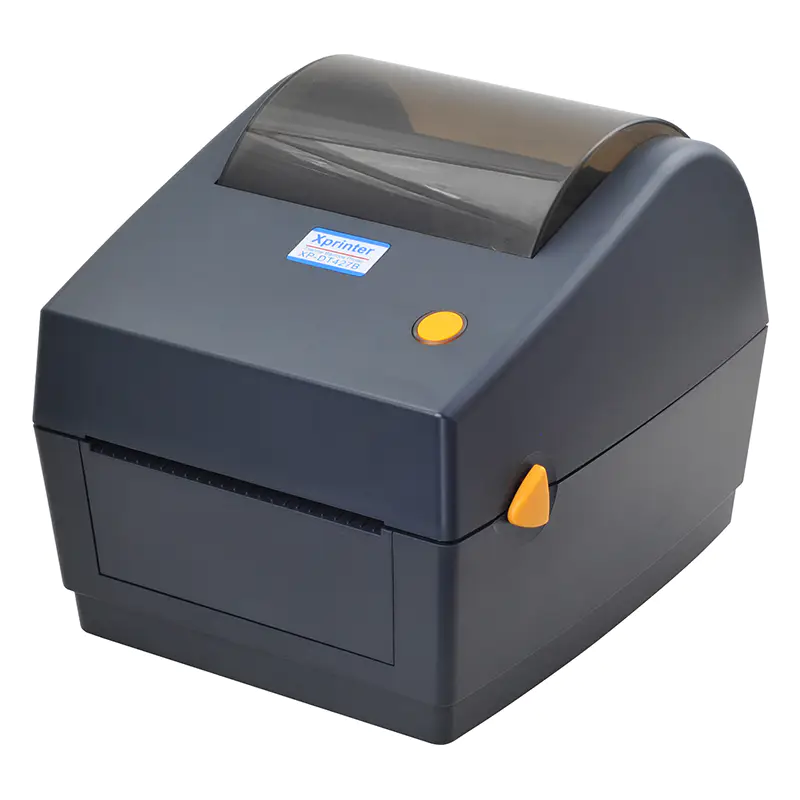
Warehouse efficiency lives and dies by accurate tracking. Every carton, pallet, and shelf location needs a barcode that scans correctly the first time, because a single misread can send inventory to the wrong aisle or delay an entire shipment. Xprinter has become a popular choice for warehouse managers looking for dependable barcode printing without enterprise-level pricing, but the brand's catalog is broad enough that picking the wrong model is a real possibility. The right choice depends on your scanning workflow, print volume, environment, and the software already running your operation. Working through these factors methodically will lead you to a printer that keeps your warehouse humming.
Start with How Your Warehouse Actually Tracks Stock
Before comparing specifications, take an honest look at how barcodes move through your facility. Some warehouses rely on handheld scanners reading shelf labels during cycle counts, while others print location tags, pallet licenses, and inbound receiving labels at multiple stations. The barcode symbologies you use matter as well, since standard linear barcodes are easier to print than dense two-dimensional codes like QR or Data Matrix. If your operation uses small labels with tightly packed data, you will need higher resolution output. Mapping out where labels are generated, who prints them, and what scanners read them gives you a practical foundation for choosing a model rather than guessing based on marketing claims.
Resolution and Barcode Quality That Scanners Can Trust
Print resolution is not a specification to skim past, because it directly determines whether your barcodes scan reliably. A 203 dpi printer handles most standard warehouse barcodes perfectly well and remains the practical choice for large shipping and pallet labels. However, when labels shrink and data density increases, 300 dpi becomes necessary to keep bar widths clean and edges sharp. Blurry or uneven bars cause scanners to hesitate, forcing staff to rescan items manually, which quietly erodes productivity across an entire shift. Xprinter offers models at both resolutions, so match the choice to the smallest label you regularly print rather than the largest. Buying extra resolution is rarely wasted, but buying too little almost always causes regret.
Print Speed and Volume for Busy Shifts
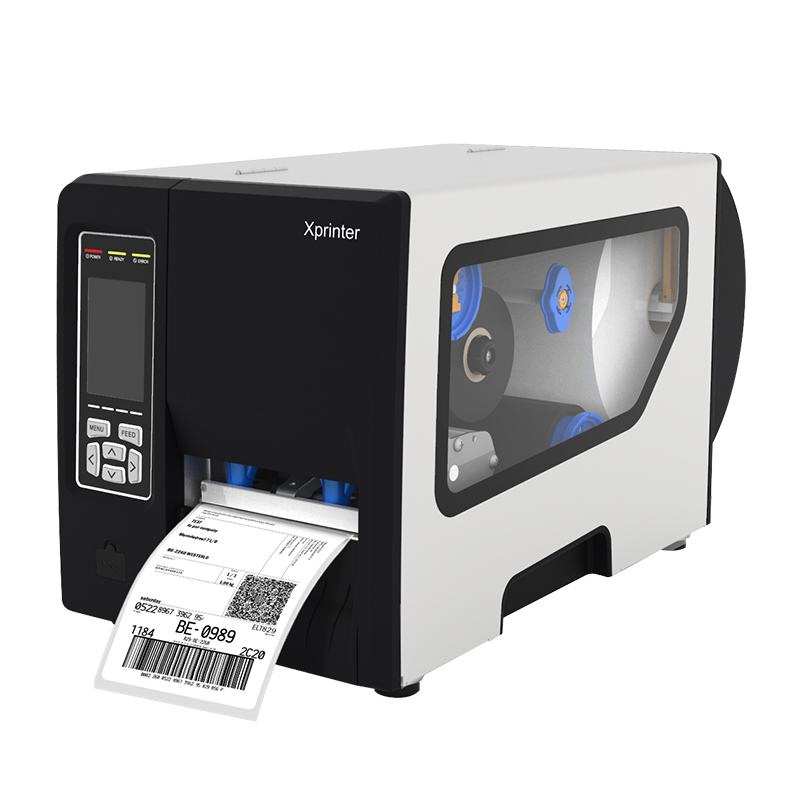
Warehouse printing rarely happens in a gentle trickle. Receiving docks, packing stations, and put-away areas all generate bursts of label demand, especially during peak seasons. Print speed, measured in inches per second, determines how quickly a printer clears those bursts without creating a queue of waiting staff. Equally important is duty cycle, which describes how much continuous printing a machine can handle before it needs rest. A desktop model that performs beautifully in a small stockroom may overheat and slow down when pushed through thousands of labels a day. Industrial Xprinter models exist precisely for this reason, offering heavier mechanisms and higher rated duty cycles that stand up to relentless warehouse demands.
Durability and Performance in Harsh Environments
Warehouse floors are unforgiving places for electronics. Dust, vibration, temperature swings, and occasional bumps are part of daily life, and a printer that cannot cope will fail at the worst possible moment. Industrial Xprinter models typically feature metal chassis, protected print heads, and sealed media compartments that keep debris away from critical components. If your printer will sit near a loading dock or in an unheated mezzanine, prioritize build quality over cosmetic appeal. Desktop models can still work well in offices and packing benches, but they belong in cleaner, gentler settings. Thinking honestly about where the machine will live prevents premature breakdowns and costly replacements.
Connectivity, Integration, and Warehouse Software
A barcode printer that cannot communicate with your warehouse management system creates more problems than it solves. Modern operations often need printers connected through Ethernet or Wi-Fi so multiple workstations can share one device, while USB remains fine for single-station setups. If your team uses forklift-mounted tablets or handheld devices, Bluetooth becomes essential. Beyond hardware, confirm that the printer supports the command languages your software relies on, such as ZPL or EPL, and that compatible drivers exist for your operating system. Checking integration requirements before purchase avoids the frustrating scenario of a capable printer sitting idle because it refuses to talk to your inventory platform.
Media Handling for Warehouse Label Formats
Warehouse labeling involves a surprising variety of media, from tiny shelf tags to four-inch pallet labels and everything in between. Check the printer's maximum media width, the accepted roll core size, and whether it supports both gap sensing and black mark sensing for label alignment. Larger roll capacities reduce how often staff must stop and reload, which matters considerably in high-volume areas. If your workflow involves switching between label types frequently, look for adjustable guides and straightforward loading paths. Some models also offer built-in cutters or peelers that speed up application. Matching media handling to your actual label inventory keeps the printer useful across every zone of the warehouse.
Budgeting for Long-Term Warehouse Value
Price tags rarely tell the full story in industrial equipment. A cheaper desktop printer may cost less today but require replacement within a year under warehouse conditions, while an industrial model costs more upfront yet delivers years of dependable service. Factor in consumables, since direct thermal labels are inexpensive but fade, while thermal transfer ribbons add cost but produce labels that survive harsh storage. Consider warranty length, spare part availability, and service response times, because downtime during peak shipping season carries its own price. When total cost of ownership is calculated honestly, the right Xprinter barcode printer often proves to be the one built for the workload rather than the one with the lowest sticker price.